
Meetings and action plan
The 8D team’s meetings feed the case file. Kanriq turns the notes taken during the meeting into structured minutes, which the leader validates.
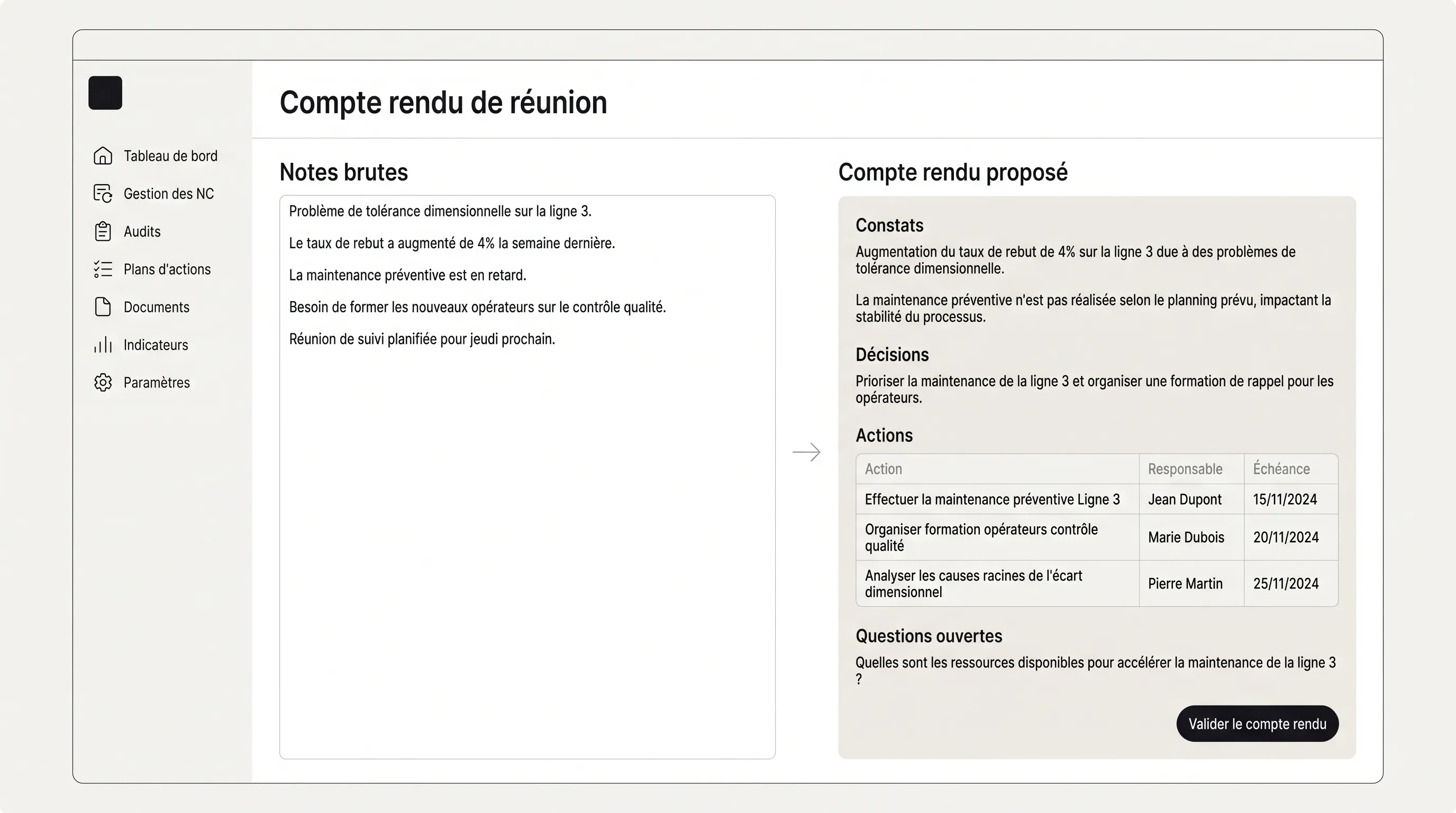
Record a meeting
Section titled “Record a meeting”- In the complaint’s Meetings tab, click New meeting.
- Enter the date, time, attendees and the steps discussed.
- Type notes as you go, without formatting — or paste an email.
- Click Propose minutes.
- Review, correct if needed, then validate.
What the minutes contain
Section titled “What the minutes contain”- Findings — the facts, with their figures, dates and references, linked to a step.
- Decisions — what was decided, unconditionally.
- Actions — phrased as tasks, with the owner and due date when the notes give them.
- Open questions — what is still to be settled.
- Step actions — a step closure or reopening that the meeting decided.
After validation
Section titled “After validation”Validated minutes become evidence that proposals for later steps can cite; a draft never does. Actions join the site’s action plan, linked to the complaint, with their owner and due date.